Party & Guild Matching
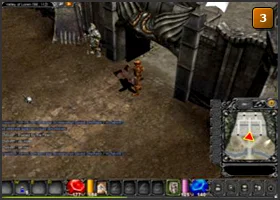
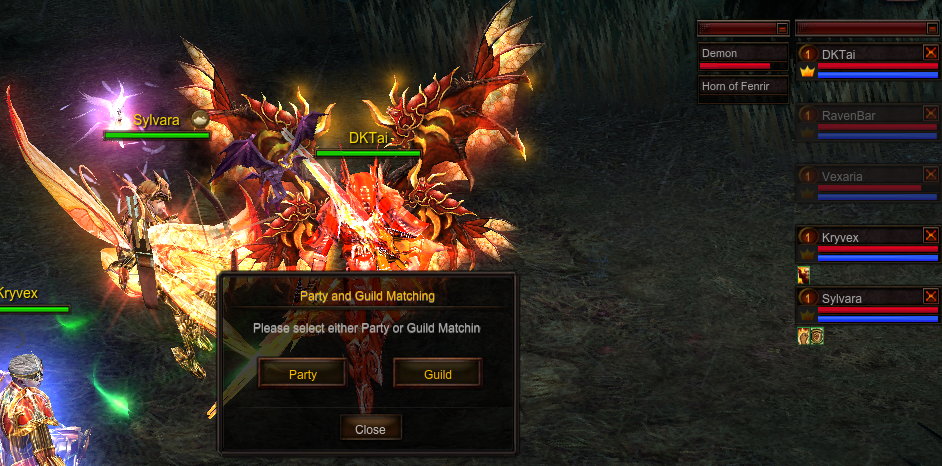
Press N to open Party and Guild Matching, then choose Party to find a group. The screenshot below shows this window in the MU WAR client, with the current party roster on the right.
| CONTROL | WHAT IT DOES |
|---|---|
| N | Open Party and Guild Matching. |
| Party | Continue to party matching to find teammates. |
| Guild | Open guild matching from the same window. |
| Party roster | Keep track of your party members and their status while playing. |
Keep the party together
Choose a shared hunting spot and make sure everyone can enter it before you set off.
| CHECK | WHAT TO KNOW |
|---|---|
| Direct invitation | Open the command menu with D, choose Party and click the player you want to invite. |
| Channel & location | Meet in the same channel and coordinate your map. |
| Roles | Agree on damage, healing, buffs and loot rules before the hunt. |
| Range & travel | Stay near your teammates and check the roster when moving to another map or event. |
Prepare for the journey
Check off what you have ready before entering, crafting or changing your build.
Step by step
- 01
Press N, then choose Party in the Party and Guild Matching window to find teammates.
- 02
For a direct invitation, open the command menu with D, select Party and click the player. Wait for them to accept.
- 03
Remember the MU WAR party bonus: every additional player who joins adds another 10% EXP.
- 04
Agree on a map, loot rules and support roles, then move to the same hunting spot.
- 05
Stay near the group and watch party status while changing maps or entering an event.
What makes the difference
Different class combinations can improve sustain and clear speed. Test your party against monsters at its actual gear level.
Sources & realm rules
The +10% EXP bonus for each additional party member is MU WAR's realm rule. The original screenshot shows the MU WAR client. The WEBZEN reference covers general party mechanics.